This is a fully commented method parsing a mediarss feed using the now deprecated Google Feed api
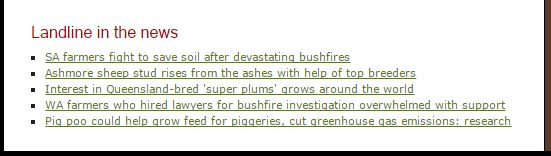

http://www.abc.net.au/landline/test/news-rss/
<html>
<head>
<!–load the google javascript api – now depricated–>
<script type=”text/javascript” src=”https://www.google.com/jsapi”></script>
<script type=”text/javascript”>
google.load(“feeds”, “1”);
function initialize() {
//load the rss feed
var feed = new google.feeds.Feed(“http://www.abc.net.au/news/feed/7234284/rss.xml”);
//set the number of entreies you want from the feed
feed.setNumEntries(10);
//load the results
feed.load(function(result) {
if (!result.error) {
//look for the container div
var container = document.getElementById(“feed”);
//inside the container div creat a ul element
var ul = document.createElement(“ul”);
for (var i = 0; i < result.feed.entries.length; i++) {
var entry = result.feed.entries[i];
var li = document.createElement(‘li’);
//for each item, appent an li element to the ul
ul.appendChild(li);
//creat and anchor element
var a = document.createElement(‘a’);
//give the anchor element the href attribute and the value of the entry link
a.setAttribute(“href”, (entry.link));
//append that anchor as a child of the li element
li.appendChild(a);
//append the entry title as a chiled of the anchor tag
a.appendChild(document.createTextNode(entry.title));
//finish by ending the ul tag inside the container
container.appendChild(ul);
}
}
});
}
google.setOnLoadCallback(initialize);
</script>
</head>
<body>
<div id=”feed”></div>
</body>
</html>